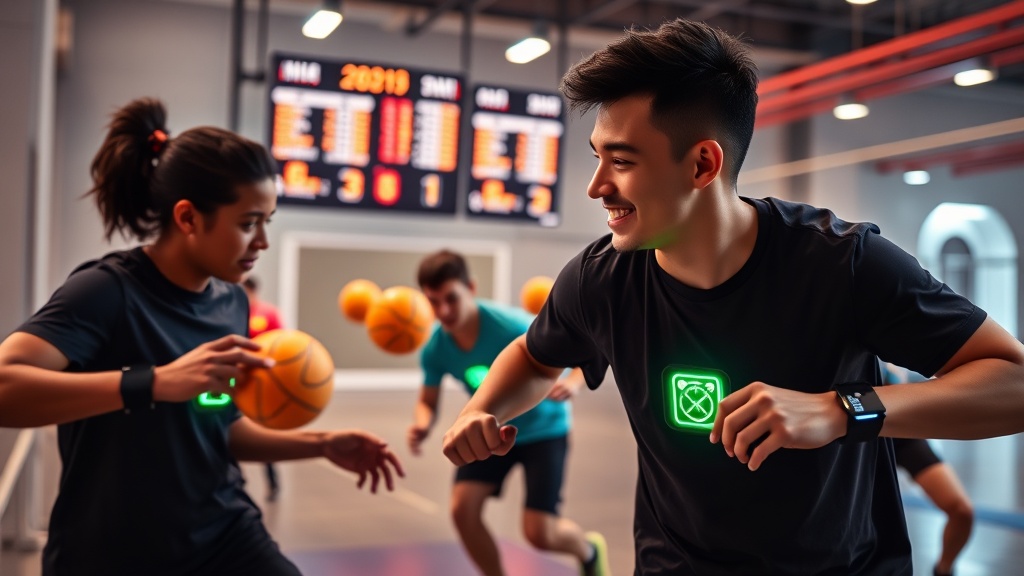
How to Use Wearable Sensors to Level Up Your Dodgeball Game

Ever wondered if the wrist‑band on your opponent is just a fashion statement or a secret weapon? In 2026, wearable sensors are the new playbook cheat sheet, feeding you live data that can shave milliseconds off your reaction time and keep you fresh for the final buzzer.
As a middle‑school PE teacher and a decade‑long dodgeball competitor, I’ve trialed everything from old‑school stopwatch drills to AI‑powered video analysis. The biggest game‑changer? Simple, affordable wearables that sync to your phone and give you actionable metrics in real time.
What exactly are wearable sensors and how do they work for dodgeball?
Wearable sensors are compact devices—usually an accelerometer and gyroscope—mounted on wrists, chest straps, or shoes. They capture motion data (speed, angle, impact force) and transmit it via Bluetooth to an app. In dodgeball, that means you can see:
- Throw velocity and release angle
- Catch reaction time from ball impact to hand closure
- Heart‑rate zones during high‑intensity bursts
- Recovery windows between rounds
All of this data lands on a dashboard where you can spot patterns you’d otherwise miss on the court.
How can I set up a wearable‑sensor workflow in under 20 minutes?
- Pick a sensor kit. For 2026, the SportTechie top‑rated kits (e.g., FitTrack Pro or MotionPulse) cost under $100 and come with a free app.
- Mount the devices. Attach the wrist bands snugly (just above the bone) and the chest strap at the sternum. Make sure they don’t bounce—loose straps give noisy data.
- Sync to your phone. Open the companion app, pair via Bluetooth, and create a “Dodgeball Session” profile.
- Run a baseline drill. Record a 30‑second sprint of throws and catches. The app will generate a baseline speed and reaction‑time chart.
- Analyze and set targets. Compare today’s numbers to your baseline. Aim for a 5‑10% improvement in throw velocity or a 0.05‑second reduction in reaction time.
- Iterate each practice. After every session, export the CSV and note trends. Over weeks you’ll see concrete progress.
What are the common mistakes that sabotage sensor data?
- Loose straps. If the sensor wiggles, the accelerometer registers false spikes.
- Skipping calibration. Most apps require a “zero‑motion” calibration before each use; ignoring it skews velocity readings.
- Over‑reliance on numbers. Sensors are a guide, not a gospel. Pair data with feel‑based adjustments.
- Ignoring recovery data. Many players focus on throw speed but forget the heart‑rate recovery graphs that tell you when you’re truly ready for the next round.
How does sensor data integrate with my existing training routine?
Use the metrics to fine‑tune the drills you already love:
- Boost Reaction Time: Pair sensor‑measured reaction times with the proven drills we covered last week. When the app shows a dip below 0.25 seconds, you know the drill is paying off.
- Recovery Protocols: After a tournament, reference the 20‑minute recovery protocol. The heart‑rate recovery curve will tell you if the protocol is truly effective for you.
- Fuel Timing: Align the sensor’s energy‑expenditure readout with the 3‑window fuel rule. If your glycogen depletion spikes early, adjust snack timing.
Pro tip: Combine wearables with video for a “double‑layer” analysis
Record a practice session with a phone on a tripod, then overlay the sensor’s velocity graph in post‑production. You’ll see exactly where a throw peaks and where a catch falters—perfect for coach feedback.
Takeaway: Turn data into dominance
Wearable sensors aren’t just gizmos; they’re a low‑cost, high‑impact feedback loop. Set up, calibrate, and track three core metrics—throw velocity, reaction time, and recovery heart‑rate. Use those numbers to tweak your existing drills, and you’ll watch your performance climb faster than a 7‑inch foam ball off the wall.